Connect existing systems
Connect supplier equipment and subsystems through protocols such as Modbus and BACnet.
 PUXIAN
PsIOT / IoT integration middleware
Connect equipment and subsystems from different suppliers. Organize their points into shared data for energy, equipment and operational applications.
Field devices → Shared data → Applications
01 / Core capabilities
Connect supplier equipment and subsystems through protocols such as Modbus and BACnet.
Link devices, points, fields and units so each application can interpret the same data consistently.
Connect field acquisition with management platforms, keeping data sources and destinations clear.
02 / Interactive demo
DATA PIPELINE
Choose an energy meter or equipment status point to inspect its identifier and collected value.
Pair each value with a field and unit. Numeric readings and status values retain their own meaning.
Energy views use consumption readings; equipment views use operating status, without redefining the point.
Choose a data object
42.5Collected value / kWh
Destination / ENERGY
RUNNINGCollected value / run_state
Destination / EQUIPMENT
ACQUISITION WORKSPACE
A shared place to configure and manage acquisition tasks supporting the data collection process.
Open full interface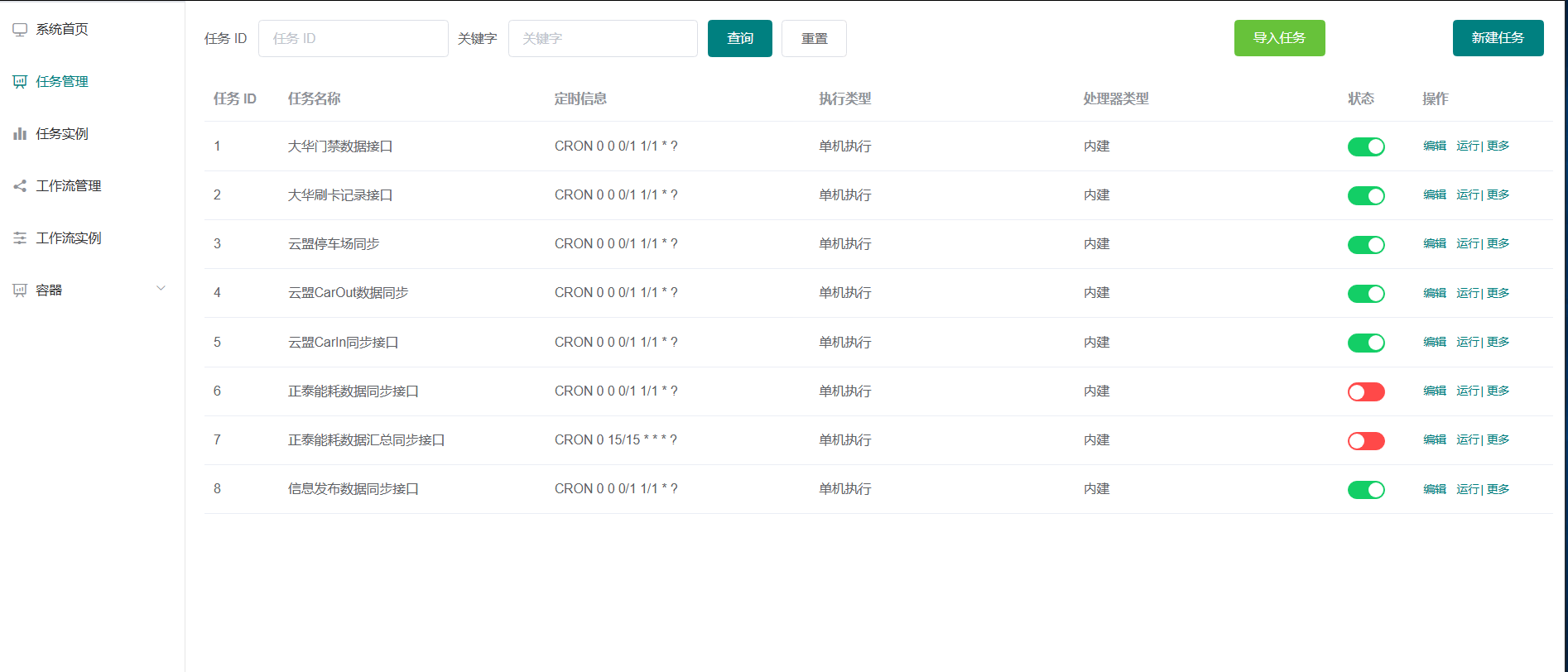
03 / Project applications

CAMPUS IoT
The project covers 22 subsystems, coordinating meetings and access, visitor verification, floor energy and security management.
Explore project
CAMPUS & BUILDINGS
Middleware and an integrated management platform for a mixed-use setting spanning offices, retail, hotels and meeting facilities.
Explore project04 / YOUR NEXT PROJECT
Share equipment brands, available interfaces and business needs. We can work out the integration path together.
Discuss integration