Connect the site
Connect equipment or existing systems. Confirm data sources and read/write permissions.
 PUXIAN
Platform capabilities
Bring device integration, data organization, operations and spatial views together around a business problem. Build on existing systems and add capabilities where needed.
One object · one information path
01 / HOW THE LAYERS WORK
Understand the data, then organize the work. Each layer has a distinct role and integration conditions to confirm.
Connect equipment or existing systems. Confirm data sources and read/write permissions.
Align identifiers, units and state meanings so systems can interpret the same information.
View equipment, energy and alarms together, then explore the object that needs attention.
Compose information views and add spatial context through buildings, floors and locations.
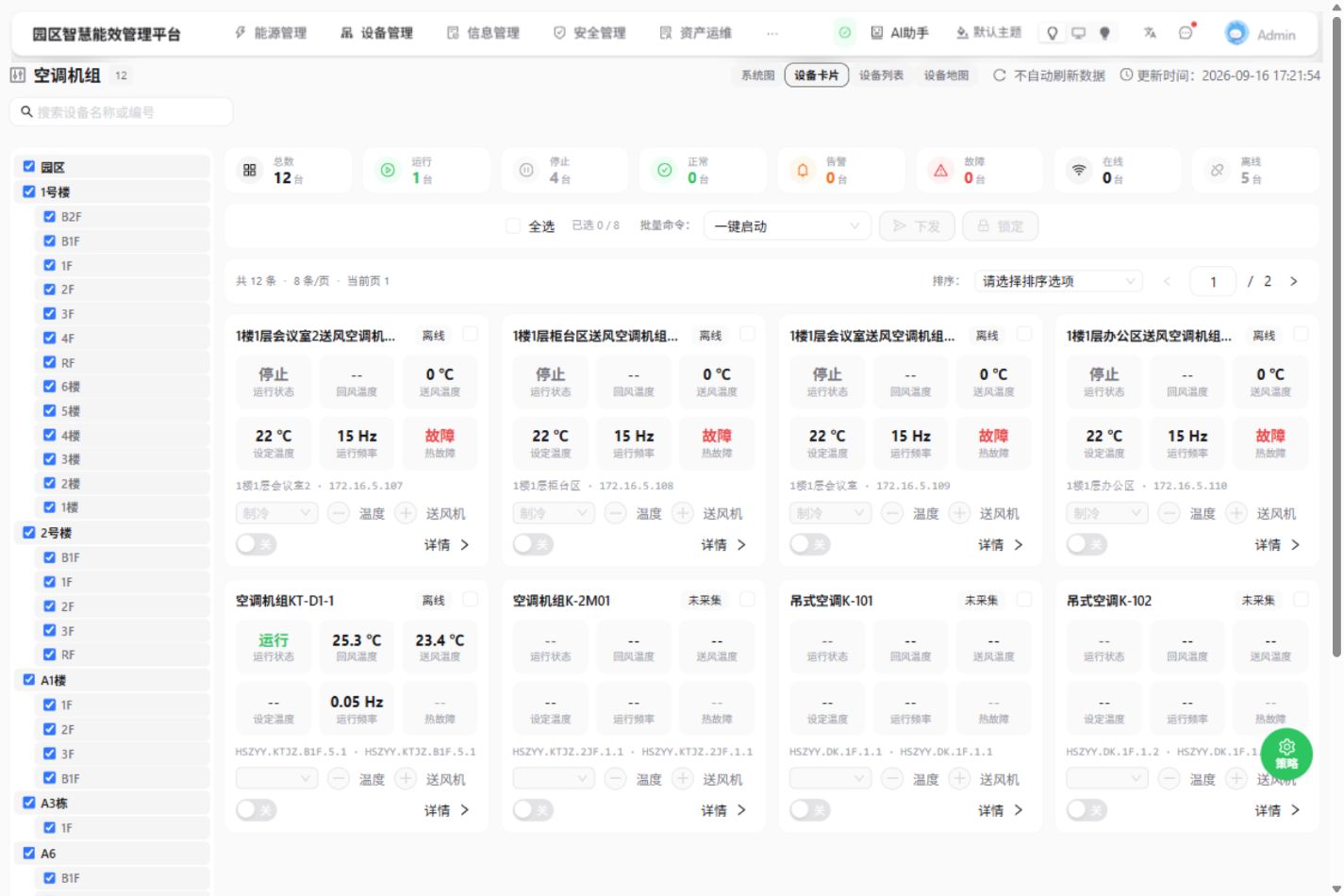
THE WORKSPACE
The current CMS air-conditioning page brings floor selection, device cards and operating fields into one workspace. Choose the area, compare objects, then open device details.
02 / CONNECTED WORK
Start with changes in night-time energy use, compare equipment states and operating schedules, and identify what to check next.
Product demo
Find a period to investigate
Use the metering object, period and units to identify changes in energy use that need further review.
Relative energy trend
Add equipment and schedule context
HVAC unit 01 shows a running state at 23:00, with a scheduled end at 22:00. Site staff check operating needs and schedule settings.
HVAC unit 01RunningConnect the finding to follow-up work
Keep the object, observation period and manual review requirements together. Use later metering and operating records to review the effect of changes.
Read the energy review guideManual review; record findings
Check operating needs, schedule settings and subsequent records.
03 / INTEGRATION PREPARATION
Start with one business question and a useful source of information.
Equipment lists, interface documents, network conditions and permitted access.
Point identifiers, units, sampling frequency, update times and missing data.
Who views it, who checks it, what follows and how to assess a useful delivery.
NEXT STEP
Share your existing systems and the work to improve. Define reusable capabilities and the implementation scope together.
Discuss platform integration