
PsCMS / INTEGRATED MANAGEMENT
One equipment issue.
One place to investigate.
Find equipment in the system overview. Follow its diagram into operating records. PsCMS brings the information for each investigation into one workspace.
Office supply-air unit 004
Building 1 / 1F / Office
01Equipment to review
Fault record found
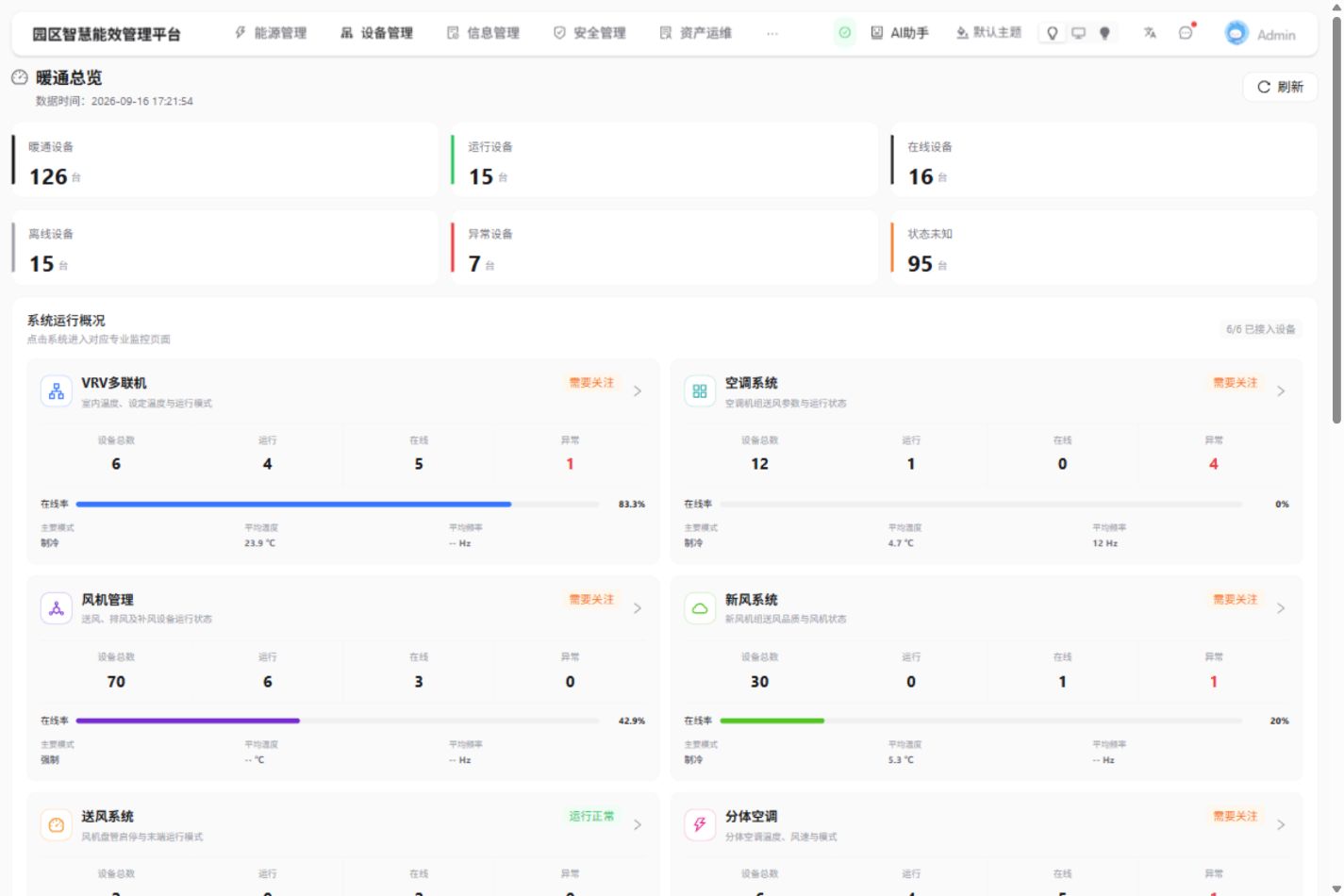
Start from the HVAC overview and follow the equipment requiring attention.
02Located in the office area
Located: Building 1 · 1F
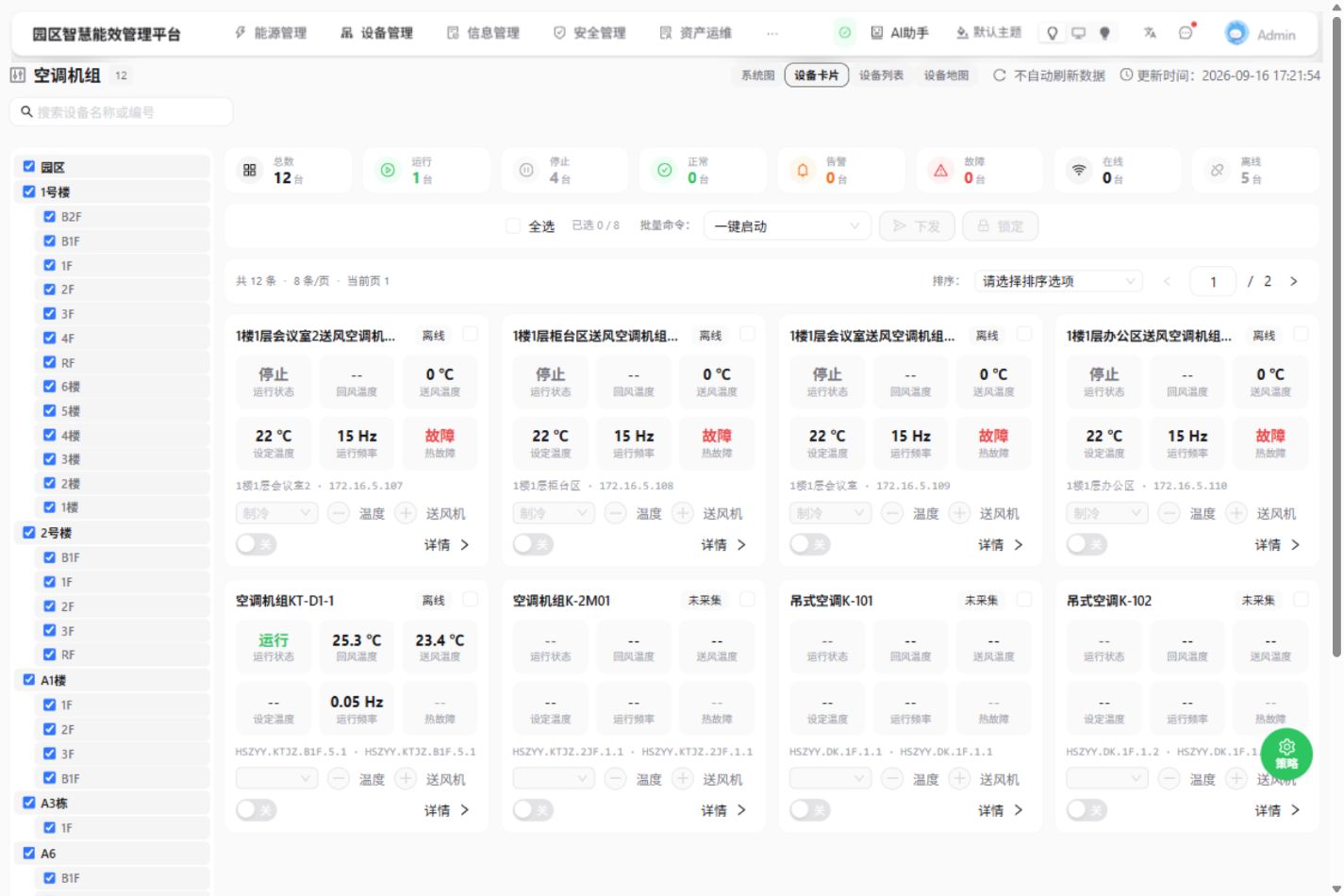
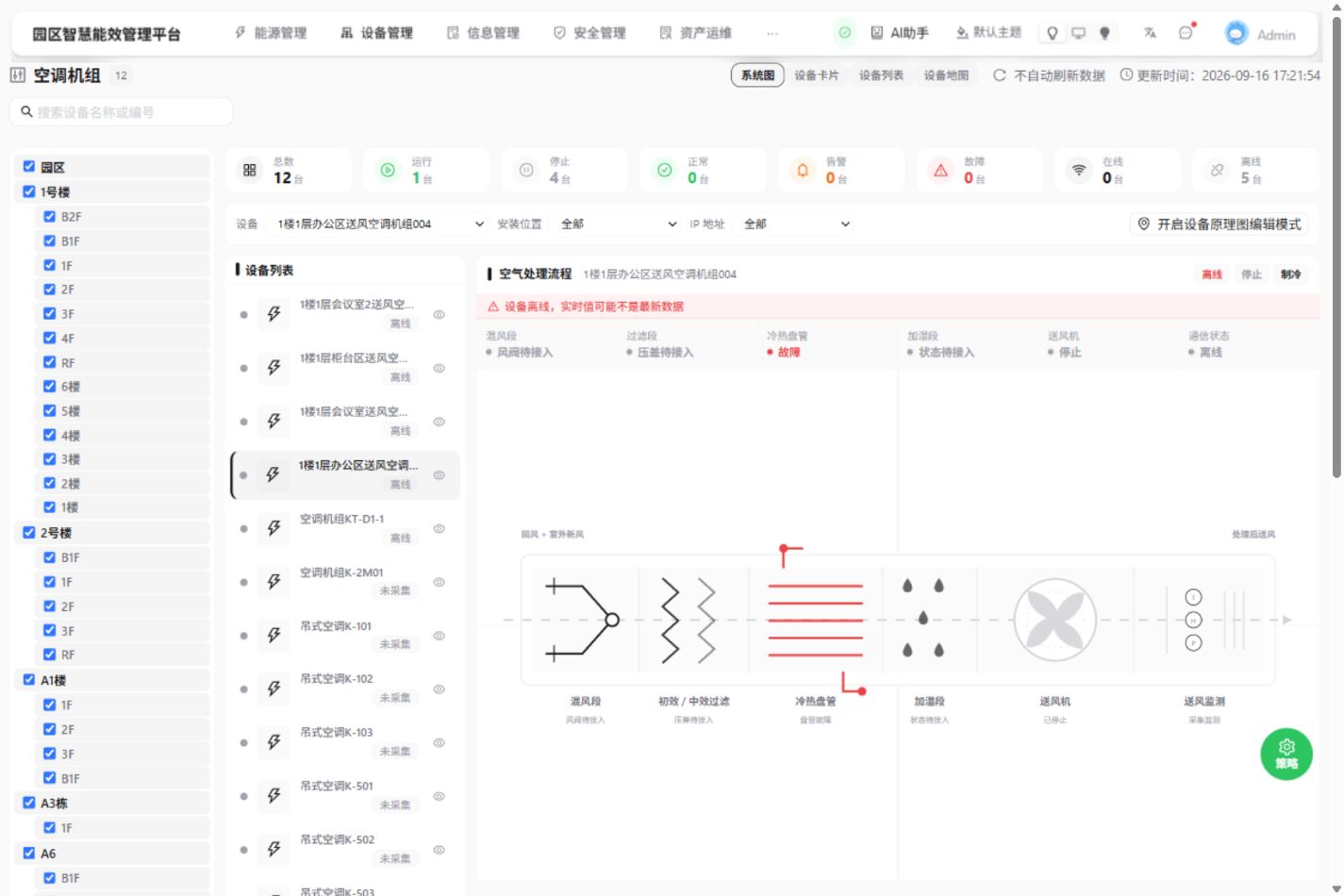
Locate office supply-air unit 004. See its position and system diagram together.
03Next: verify site and connectivity
Next: verify connectivity
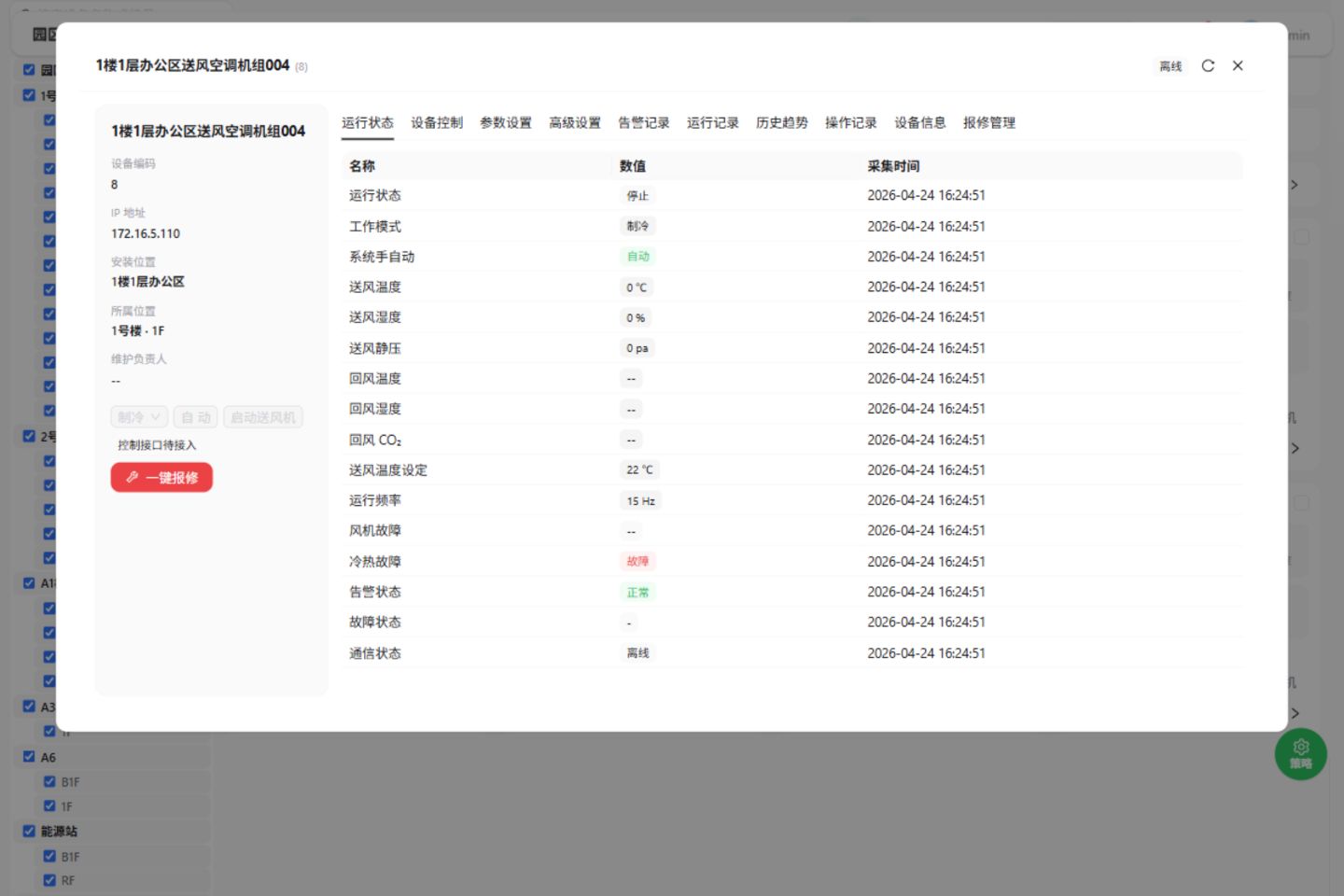
A heating/cooling fault is recorded, and communication is offline. Verify connectivity and site conditions before assessing its current state.
- Heating/cooling
- Fault recorded
- Communication
- Offline
View inspection summary +
Inspection summary
Equipment: Building 1, Floor 1 office supply-air unit 004. Records: heating/cooling fault and offline communication. Verify the communication link and coil on site, then update operating records.
After connectivity is restored, check the latest readings.PsCMS / WORKSPACE
Meet your operating workspace.
System overview, equipment cards, system diagram and operating details. A different view for each question.
SPATIAL VISUALIZATION / P.C.I
Give every device
a place.
Move from campus to building to equipment. Put operating information back in its physical context.
Explore spatial integration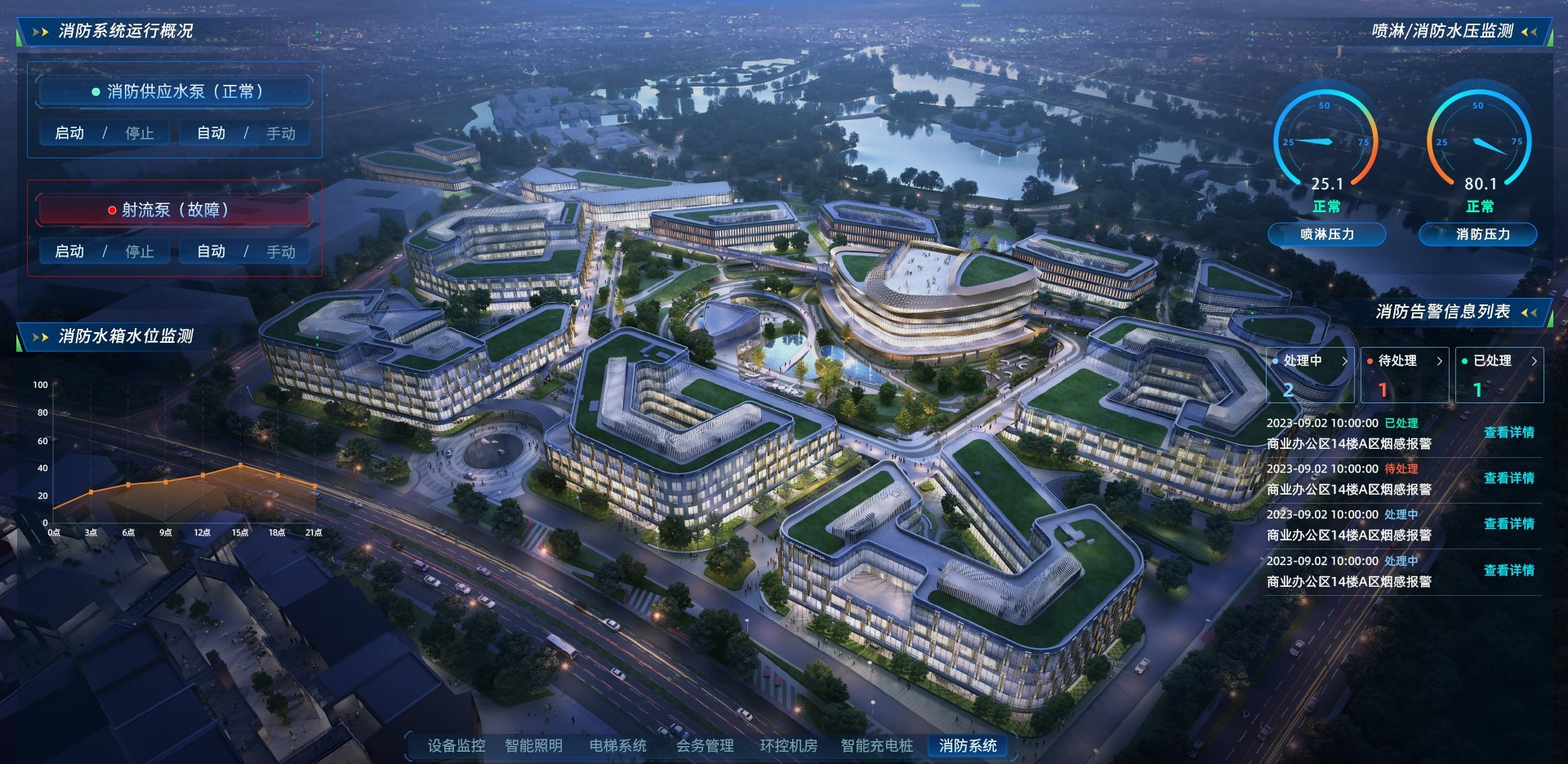 Open the full interface ↗
MAKE THE NEXT STEP CLEAR
Start with the problem
in front of you.
Tell us about your buildings, existing systems and goals. Together, we can map out an integration and delivery path.
Let’s discuss your needs