
LIFT COMMUNICATION · IP ACCESS
IP one-button
dialler
One-button dialling over an IP connection, configured with the project network. The original entry explicitly supports two-party calling only.
One call, two matched endpoints
Plan the car-side calling endpoint and receiving endpoint, then check the project network and associated equipment.
- 01
Calling endpoint
Dialler module and existing intercom wiring
- 02
Project IP network
Access path, addressing and reachability
- 03
Receiving endpoint
Receiver model and staffing arrangement
This relationship diagram helps identify selection requirements. Confirm equipment combinations and wiring for the actual version.
REFERENCE & CONFIGURATION
Two-party calling,
configured for the site
Confirm the module configuration against site power, interfaces and environmental conditions.
- Calling scope
- Two-party calling only
- Access stated in the introduction
- IP connection using the project network
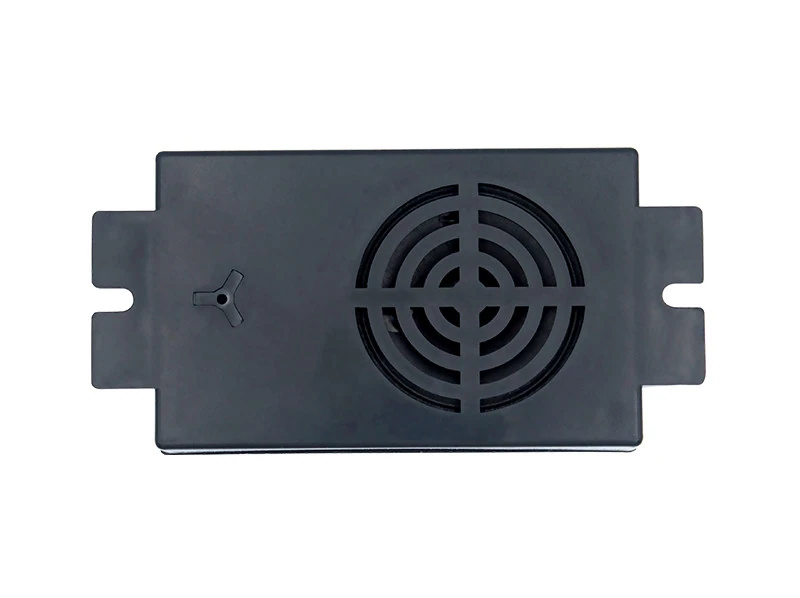
- Visible in the product photo
- Black module, speaker openings and mounting tabs
Open the source for its stated purpose
Chinese labels, equipment and wiring marks remain unchanged. Use system and extension references to check the supporting configuration.
IP five-party system diagram
Shared system diagram showing intercom positions, an IP extension and matching duty consoles.
Open this originalIP network extension reference
The parameters describe the network extension. The two-party section says “4G one-button dialler” despite the IP heading; check the actual version.
Open this originalConfirm the fit with site information
Project network
Provide access locations, LAN or cross-network paths, addressing plans and site network conditions.
Both endpoints
Provide existing intercom, extension and receiver models. Identify calling and receiving positions.
Mounting and power
Provide module interfaces, mounting space and existing supply details to confirm the wiring.
SITE CONDITIONS & DOCUMENTATION
Start with the endpoints and project network
Bring the lift list, existing models, wiring photos and network plan to confirm a two-party calling configuration.