
LIFT COMMUNICATION · LIFT-SIDE CONNECTION
IP multi-port
2/4-wire extension
4局 configuration
Connect to the duty side through the project IP network. Check the 2-wire/4-wire intercom system, 4局 configuration and multi-port layout separately.
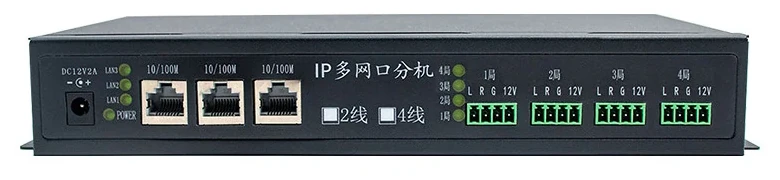
Organise intercom groups and check network access
The 4局 configuration corresponds to four terminal groups in the lead photo. Check each intercom connection and the intended use of all three network ports separately.
Intercom connections
Check wiring system, terminals and power for each group in the 4局 configuration. Panel labels do not establish site compatibility.
Project network
Check access points, addressing and console communication. A visible network-port count does not establish compatibility with arbitrary network devices.
INTERCOM SYSTEM · CONNECTIONS
From the lift
to the duty station.
Lift-side intercoms connect to the duty side through an extension and the project IP network. Match the existing intercoms, network access and console configuration.
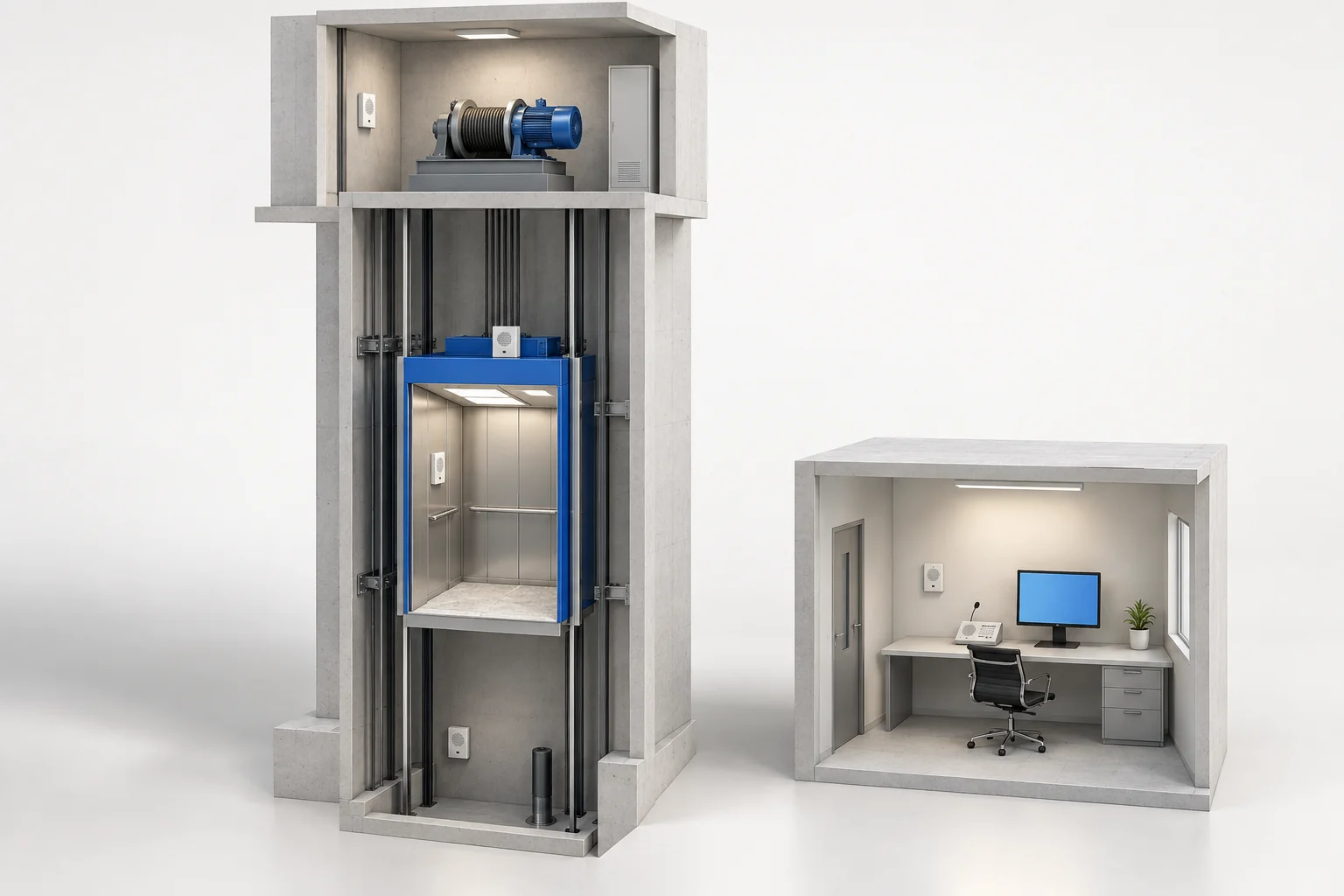
- AMachine-room intercom
- BCar-roof intercom
- CCar intercom
- DPit intercom
- 01
Lift-side intercoms
Machine room · car roof · car · pit
- 02
IP extension
This model: 4 terminal groups
- 03
Project network
Confirm access and addressing
- 04
Duty station
Select the console for the setup
The four locations are intercom positions; this model has 4 intercom terminal groups. Location count and terminal-group count describe different things. The AI-generated scene is conceptual, not a product image or a terminal or installation wiring drawing.
Three checks before connection
Existing intercom model and wiring system; the terminal groups, supply and actual wiring; project network and duty-console configuration.
Original wiring references
Chinese-language originals. Open when needed.
The drawing contains lift intercoms, power, an extension and different duty consoles. It explains the system relationship; its pictured extension count does not replace this model’s configuration.
The shared introduction starts with a single-port 1局 extension, unlike this three-port unit with four terminal groups. The lower five-party/two-party drawings explain connection relationships. The two-party drawing contains a “4G one-key dialling extension” label; it does not establish built-in 4G on this IP unit.
CONFIGURATION & PARAMETERS
Read this model’s panel and configuration
The lead photo shows the multi-port 4局 panel. The shared introduction below starts with a single-port 1局 unit; these are different configurations.
- Panel name
- IP multi-port extension
- Configuration labels
- 2-wire, 4-wire; 4局
- Visible network ports
- Three RJ45 ports, each marked 10/100M
- Intercom terminals
- 1局, 2局, 3局, 4局; each group L, R, G, 12V
- Power marking
- DC 12V, 2A
Confirm fit using the actual wiring
Intercom groups
Provide models, corresponding lift names and clear wiring photos for the 4局 configuration.
Network and console
Provide console model, access point and addressing; confirm interface configuration and maintenance responsibilities.
Wiring system and power
Check the 2-wire/4-wire version, supply, polarity and location against the actual terminals.
MODEL & SITE FIT
Match the 4局 extension to wiring and communication conditions
Bring wiring photos for each of the four intended intercom groups, the console model, network access points and any other network-device access requirements.