
Task scheduling center
PsJobPlan the work. Trace each execution.
Schedule extraction, system synchronization and information delivery together. Use timing rules, task dependencies, execution states and logs to trace how work runs.
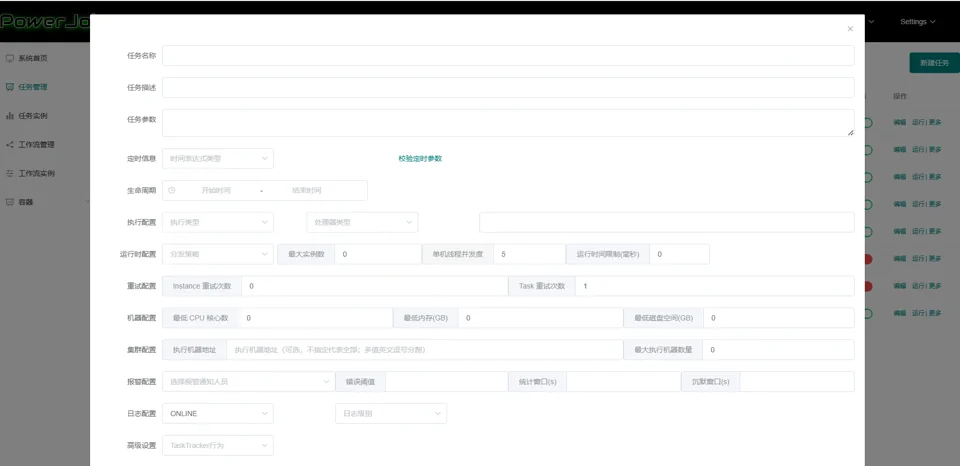
From scheduling to execution records
Two trigger options
Use CRON schedules or API requests. Check time zones and execution windows for schedules, and invocation permissions for API calls.
Task dependencies
Organize task order and prerequisites in workflows, making the relationship between extraction, synchronization and delivery clear.
Four execution modes
Single-instance, broadcast, Map and MapReduce support different work. Choose according to task type, resources and project configuration.
States and logs
Find execution records by task and instance identifiers, then inspect state, trigger time, end time and logs.
Product demonstration · Configuration and execution records
Read task definitions and execution instances separately
Inspect four regions from the original configuration and execution-record images. Configuration describes the work; an instance distinguishes one run.
01Name & timingTASK CONFIGURATION
What does the task do, and when should it run?
Organize task definitions through names, parameters, schedules and lifecycle settings.
Scroll horizontally to inspect fields, or open the full original.
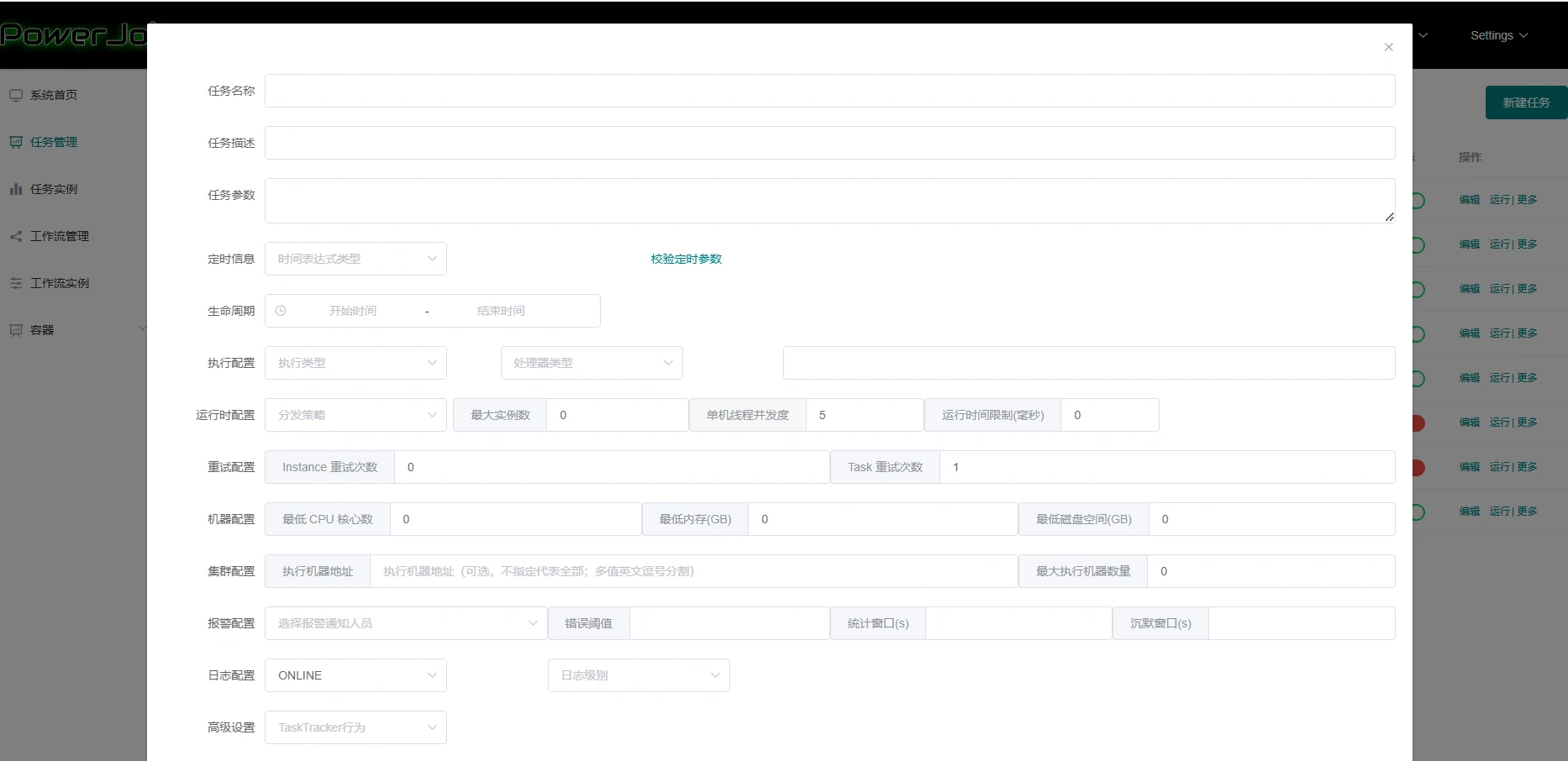
02Execution & resourcesTASK CONFIGURATION
How will it execute, and are the conditions available?
Execution options, runtime parameters, retries and machine or cluster information organize task conditions.
Scroll horizontally to inspect fields, or open the full original.
03Task & instanceEXECUTION RECORDS
Are you reading the task or a particular run?
Task IDs and names identify the work; instance IDs identify an execution for lookup and traceability.
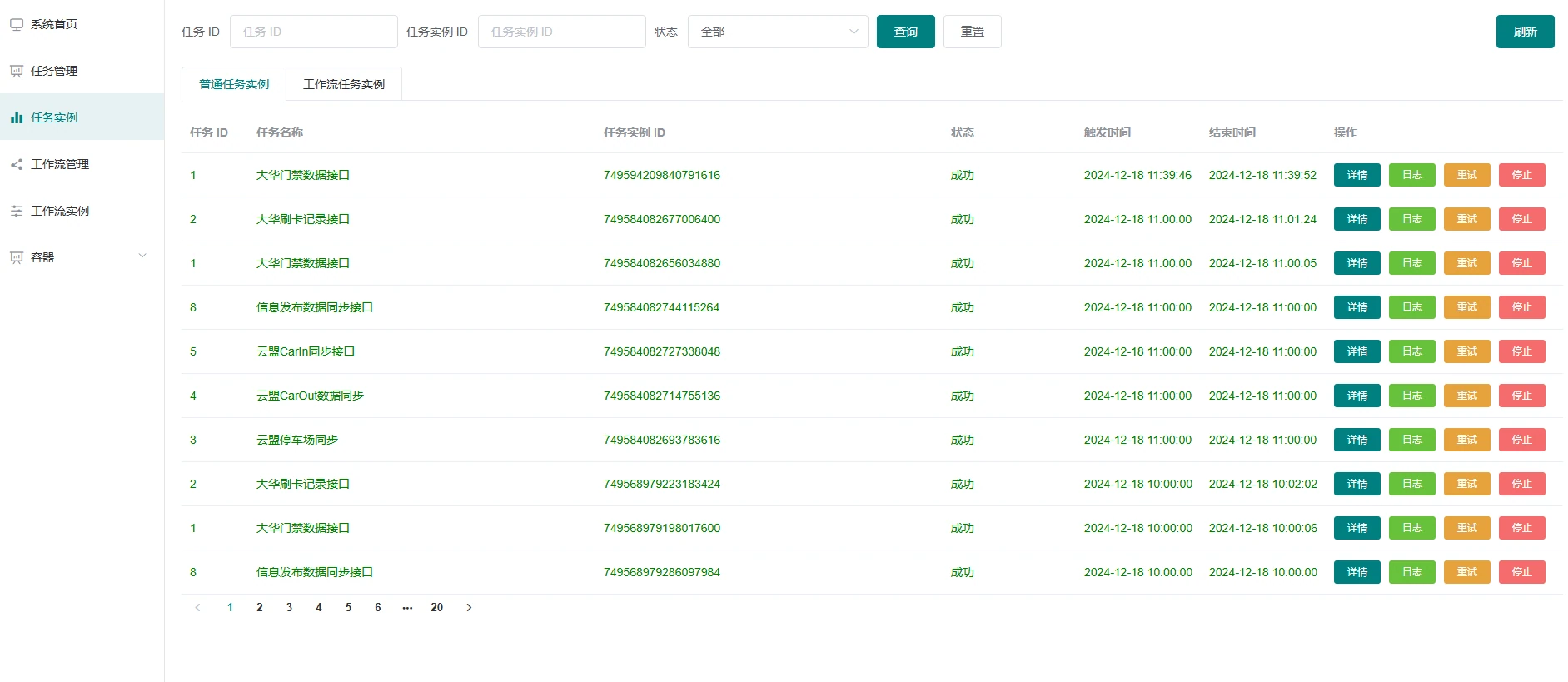
Scroll horizontally to inspect fields, or open the full original.
04Status & timesEXECUTION RECORDS
What was recorded for a particular run?
Review execution records through states, trigger times and end times.
Scroll horizontally to inspect fields, or open the full original.
Confirm triggers separately from dependencies
Extraction, synchronization and delivery can be arranged with prerequisites. Switch trigger views to inspect the conditions to confirm before execution.
An agreed execution window arrives
Check time zone, validity, the window and overlap with a previous run. Agree on missed triggers and tasks outside the window.
An authorized invocation request arrives
Confirm caller permissions, parameters and duplicate-request handling before checking dependencies and execution resources.
- 01
Extract device data
Source availability, permission and completeness
- 02
Synchronize to the platform
Whether upstream data meets agreed conditions
- 03
Deliver information
Delivery records and destination feedback
Application scenarios
Schedule work that needs to run repeatedly
Extraction and platform synchronization
Confirm data sources and extraction conditions, then use dependencies to organize downstream synchronization and retain execution records.
Scheduled and terminal delivery
Organize delivery around content, destinations, time windows and invocation permissions. Check acknowledgements from the destination.
PsJob
Define the task and its execution conditions
Start with an extraction, synchronization or delivery task to agree triggers, execution mode and validation scope.