Which system holds the information?
Equipment and events are dispersed. Start with objects, identifiers and available interfaces.
 PUXIAN
CAMPUS & BUILDING OPERATIONS
Connect buildings, areas, equipment and events. Give operations, maintenance and integration teams an information path suited to their work.

BEFORE YOU START
For operations across buildings, subsystems and teams. First confirm available data and access scope.
01 / WORKING ACROSS ROLES
Your selection changes the blue emphasis and explanation below. Use arrow keys to select with a keyboard.
Area → related event → equipment
Event → AHU-01 → Building A, Level 2
Object identifier ↔ spatial ownership ↔ event reference
BUILDING_AAREA_A_02AHU-01EVENT_01Related objectAHU-01
Locate through the object’s ownershipBuilding A → Level 2 HVAC room
Area → related event → equipment
The event in Building A, Level 2 refers to AHU-01. An operating view groups the area and related events to clarify who should review them.
Event → AHU-01 → Building A, Level 2
Relate events, equipment and plant-room locations so maintainers can move from an issue to the relevant object.
Object identifier ↔ spatial ownership ↔ event reference
Organize relationships between space, equipment and events in a shared integration and operations view.
The event in Building A, Level 2 refers to AHU-01. An operating view groups the area and related events to clarify who should review them.
Relate events, equipment and plant-room locations so maintainers can move from an issue to the relevant object.
Organize relationships between space, equipment and events in a shared integration and operations view.
THREE QUESTIONS IN THE SETTING
Equipment and events are dispersed. Start with objects, identifiers and available interfaces.
Relate buildings, areas, devices and events to reduce repeated searches across interfaces.
Organize views around the daily work of operations, property and technical teams.
A PROPOSED DELIVERY PATH
List buildings, managed areas, equipment objects, interface owners and permissions.
Align identifiers, point meanings and spatial ownership. Select the data needed by upper-layer views.
Arrange overviews, area states and event information around operational tasks, rather than copying every subsystem function onto one screen.
Use event inspection, device location or handover scenarios to verify data, permissions and responsibilities.
RELATED PROJECT EXPERIENCE
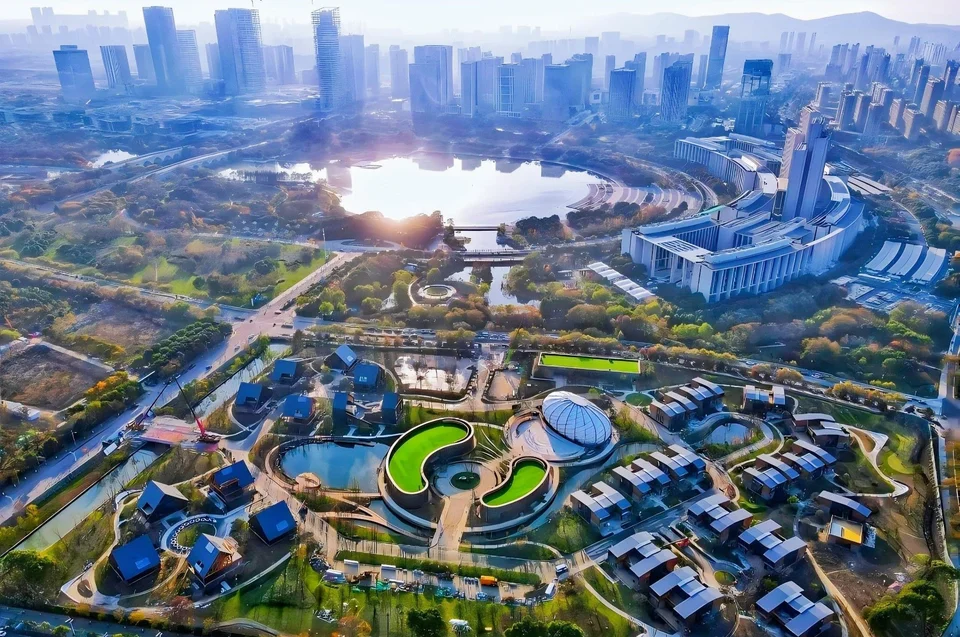
The cybersecurity center spans offices, retail, hotel and conference settings; the returnee town connects multiple subsystems and vendor interfaces. Explore their operating contexts and integration scope.
CAMPUS & BUILDINGSNational Cybersecurity Center integration and middleware project, Hubei CAMPUS IoTReturnee Town IoT platform, JiangsuCONDITIONS
For campuses with multiple buildings and subsystems, organize overviews, event views and equipment locations.
Use the integration checklist Review integration responsibilitiesNEXT STEP
Connect buildings, areas, equipment and events. Give operations, maintenance and integration teams an information path suited to their work.